PRODUCT CAPABILITIES
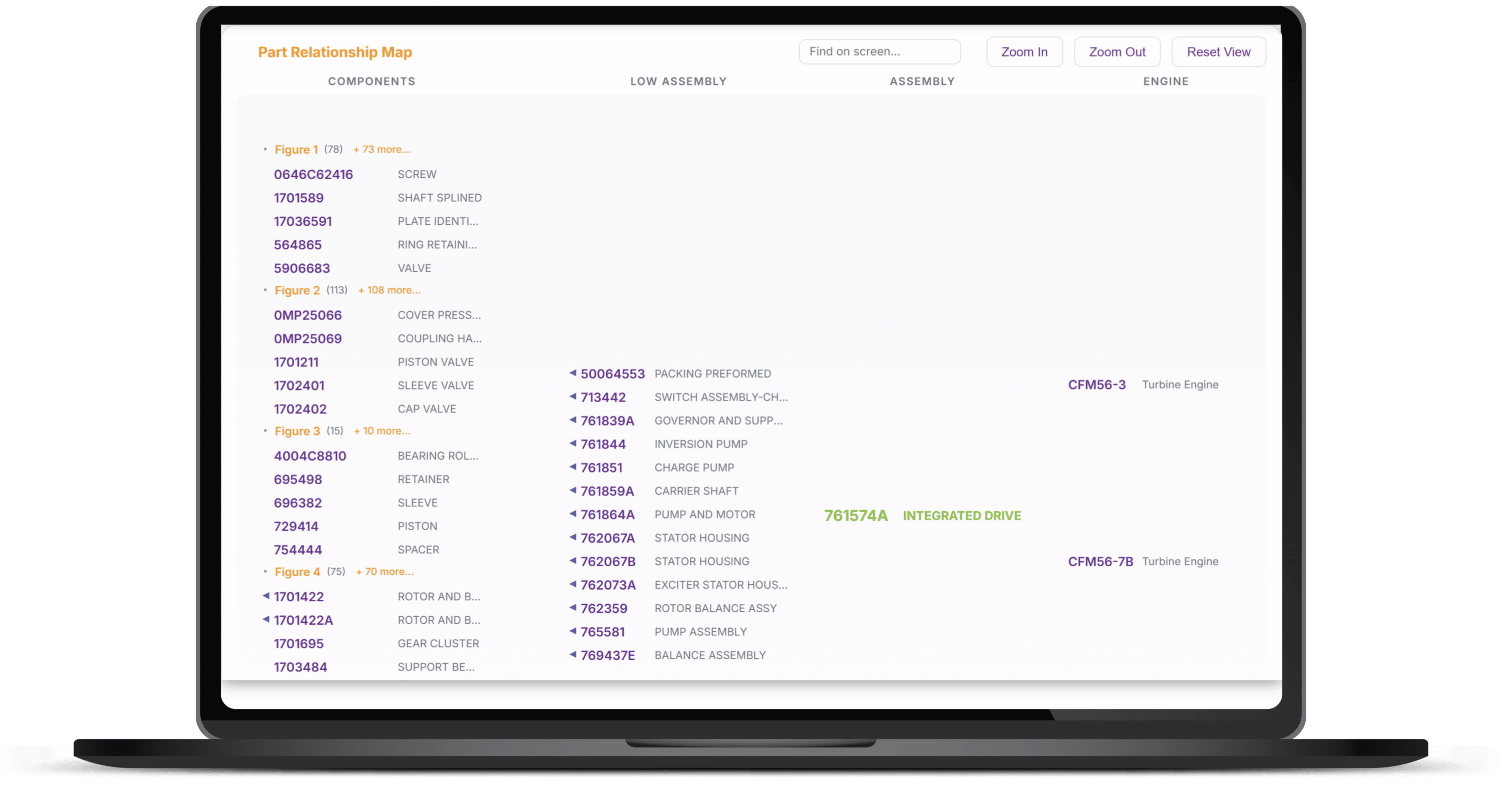
A graphical interface that lays out part information in a family-tree style, backed by data researched from airlines, MROs, OEMs and the FAA — collected into one place, easy and fast to access.
15M+
part numbers
25M+
part-to-part relationships
9.2M
pricing records
45M+
lines of research data
IDENTITY & PRICING
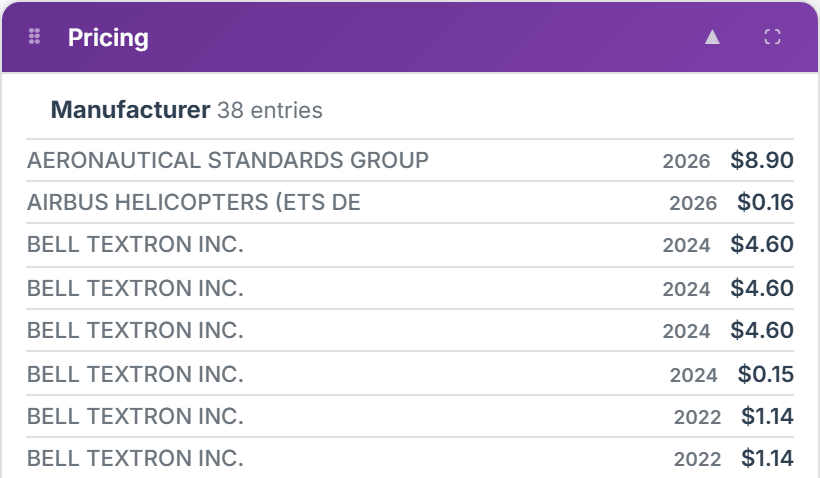
OEM, cage code, approval holder and NSN at a glance, with manufacturer catalog pricing by year and official DLA acquisition prices.
INTERCHANGEABILITY
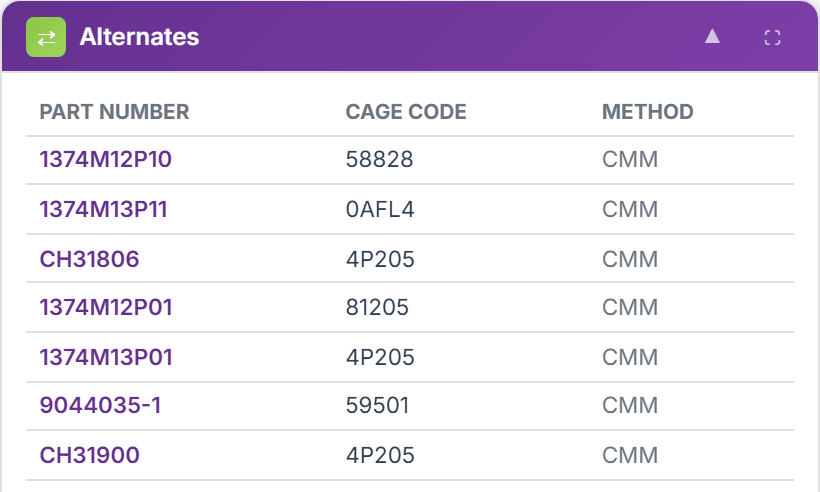
Verified alternates, FAA-approved PMA replacements down to the component level, and near-match parts scored by percentage in common.
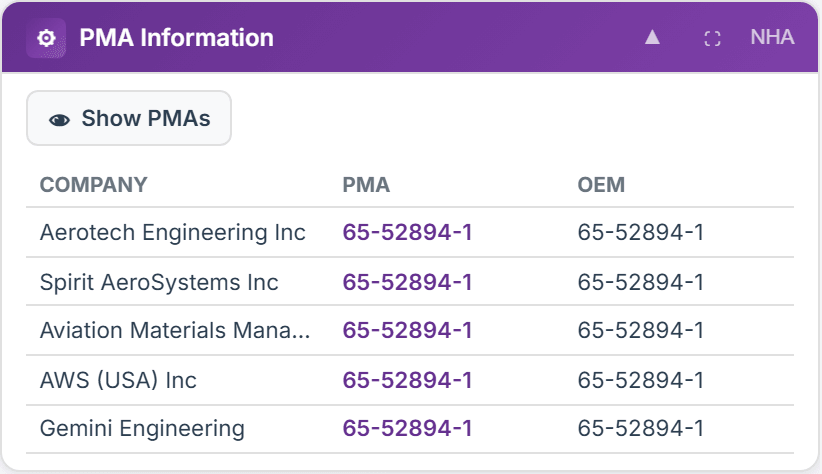
PANEL SPOTLIGHT — PMA INFORMATION
FAA-approved PMA alternatives, with the approval holder and the OEM part each one replaces. The PMA toggle surfaces approvals at the component level, not just the assembly — so options show up where other tools stop looking.
Airlines use it to find PMA, DER and surplus sources; PMA suppliers research new development, usage, potential customers and eligibility.
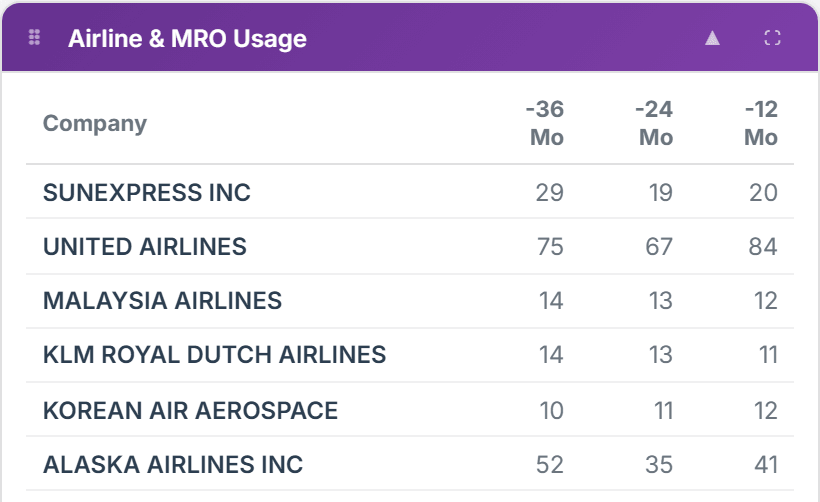
USAGE & FLEET
Which airlines and MROs actually used the part, with 12, 24 and 36-month counts — and the fleets in service and storage behind that demand.
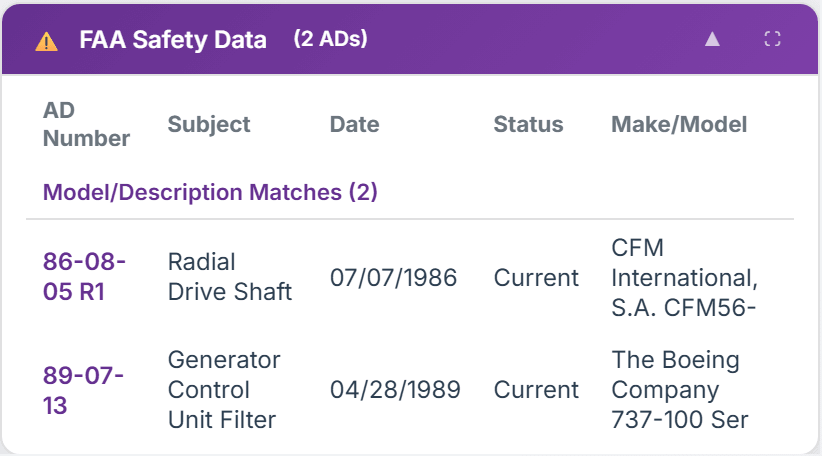
SAFETY & COMPLIANCE
Airworthiness Directives and DER repairs tied to the part, FAA Service Difficulty Reports matched by part number and model, and the CMM and AIPC paper trail down to figure and item.
AND WHEN IT'S TIME TO ACT
CAGE and NSN lookups, plus one-tap searches of DIBBS RFQs, SAM.gov opportunities and USASpending awards.
Ask questions about any part on screen and get an answer grounded in Fulcrum's own data.
CSV exports, printable part reports, market value analysis — turn research into something customer-ready.
Every part number search fills these panels. Reorder them, expand any one, or turn off the ones you don't need.
IDENTITY & PRICING
INTERCHANGEABILITY
USAGE & FLEET
SAFETY & COMPLIANCE
GOVERNMENT, AI & REPORTS
“Data will talk if you're willing to listen to it”
 sales@fulcrum360.com
The unauthorized reproduction or distribution of this copyrighted material and any affiliated websites, apps, and software is prohibited and protected by law. Including but not limited to infringement without monetary gain. It is Fulcrum 360 and its partners’ intentions to protect and enforce its copyright protections.